
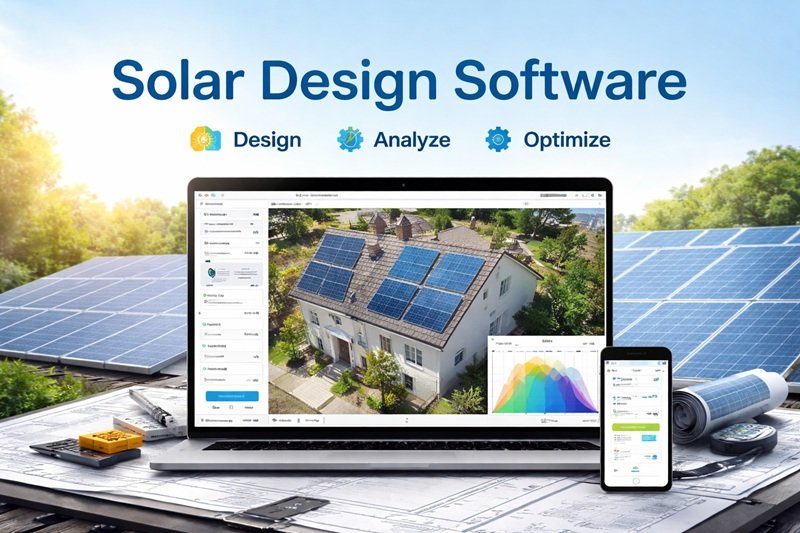
If you’ve ever tried to plan a solar panel installation using nothing but a spreadsheet and a rough sketch of the roof, you already know how quickly things can go wrong. A shading calculation gets missed, the panel layout doesn’t quite match the actual roof, and suddenly you’re dealing with a change order mid-install.
This is exactly the problem a solar design tool solves. Whether you’re a solar installer, an EPC company, or a homeowner exploring your options, these tools let you plan a system accurately before anyone touches a ladder. This guide walks you through what solar design tools actually do, how to pick the right one, and which options are worth considering in 2026.
What Is a Solar Design Tool?
A solar design tool is software that helps you plan, model, and optimize a photovoltaic (PV) system before installation begins. At its core, it lets you:
- Place solar panels on a roof or site map
- Run shading analysis to see how much sunlight will actually reach the panels
- Estimate expected energy production
- Generate proposals or reports for clients or stakeholders
Modern tools go well beyond the basics. Many now include AI-assisted panel placement that automatically detects roof obstructions, 3D modeling using satellite or drone imagery, financial analysis based on real utility rates, and battery storage sizing.
Why You Need One (Instead of Just Sketching It Out)
If you’re only designing one small system for personal use, a rough sketch might feel like enough. But here’s what a proper solar design tool actually protects you from:
- Inaccurate shading estimates — trees, chimneys, and nearby structures can quietly cut into your energy output if you don’t model them properly
- Layout mismatches — a design that looks fine on paper but doesn’t match the real roof structure once your crew gets there
- Unrealistic savings projections — using outdated utility rates can make a proposal look better (or worse) than it actually is
- Slow turnaround — manually calculating production estimates and drawing layouts takes far longer than using automated tools
For solar businesses, these mistakes don’t just cost time — they cost money through rework and lost customer trust. For individuals researching a home solar setup, they can mean signing up for a system that underperforms what you expected.
How to Choose the Right Solar Design Tool
Not every tool is built for the same use case. Before you pick one, it helps to answer a few questions.
Step 1: Identify What You’re Designing
- Residential rooftop systems — most tools are built primarily for this
- Commercial arrays — you’ll want a tool with more advanced electrical and structural modeling
- Utility-scale farms — these need specialized tools that handle terrain-following trackers and large-scale storage simulation
Step 2: Decide What Matters Most to Your Workflow
Different tools are strong in different areas, so it helps to know your priority:
- Design speed and layout automation — if creating layouts is your biggest bottleneck
- Sales and proposal generation — if closing deals is the harder part of your process
- Engineering-level accuracy — if you need bankable, highly precise simulations
- All-in-one workflow — if you want design, CRM, and documentation in a single platform
Step 3: Check the Learning Curve
Some tools are built for solar engineers and require real training to use well. Others are designed so installers and sales reps can pick them up quickly. If you’re a small team, a simpler tool you’ll actually use consistently often beats a powerful one that sits half-used.
Step 4: Look at Site Survey Options
Many modern platforms now offer:
- Customer-led digital surveys — homeowners take photos of their electrical panel and attic themselves, which upload directly into your project
- Drone integration — quick flights that capture highly accurate measurements and feed straight into your design software
If you’re doing a lot of remote sales, this can significantly cut down on truck rolls and speed up your sales cycle.
Key Features to Look For
Whichever tool you choose, these are the features that separate a genuinely useful platform from a basic one:
- AI-assisted panel placement that detects roof obstructions automatically
- 3D modeling, ideally using satellite imagery or LiDAR for accuracy
- Shading analysis that accounts for nearby trees, structures, and terrain
- Financial modeling using real, up-to-date utility rate data
- Battery storage sizing, especially important as more systems now include storage
- Automated proposal and permit package generation, which saves significant admin time
Popular Solar Design Tools in 2026
Here’s a quick look at some of the widely used platforms, organized by what they’re generally best suited for.
Aurora Solar
Known for detailed system design and performance modeling, with strong 3D visualization and proposal tools. It’s commonly used by larger solar companies that need engineering-level accuracy alongside strong sales presentation. It can feel like more tool than necessary if you’re running a small crew with simpler needs.
HelioScope
Focused on accurate system simulation and layout — modeling stringing, panel placement, and expected energy production. Built by Folsom Labs (now part of Aurora), it’s designed to help designers work significantly faster than with comparable manual methods.
OpenSolar
A widely compared option alongside Aurora and HelioScope, generally evaluated on speed, accuracy, and pricing for installers looking for a full design workflow.
PVsyst
A deeply technical tool built for solar engineers and researchers, offering advanced shading analysis, detailed energy simulations, and financial modeling. It’s wholly dedicated to design — no built-in sales tools — and usually requires some training to use effectively.
Arka 360
Combines solar design with customer-facing tools like digital site surveys, where homeowners can securely upload photos of their property for the design team to use.
Scanifly
Known for drone-based site surveys, offering quick, millimeter-accurate measurements that feed directly into your design workflow — useful for post-sale verification and reducing site visits.
Common Mistakes to Avoid When Using a Solar Design Tool
- Skipping shading analysis to save time — this is one of the most common reasons real-world production falls short of projections
- Using outdated utility rate data in financial projections, which can mislead both your team and your customer
- Choosing a tool based on features alone, without considering whether your team will actually use it consistently
- Ignoring the roof survey step, especially for remote sales, which increases the risk of a layout that doesn’t match reality on install day
Frequently Asked Questions
What does a solar design tool actually do? It helps you plan a solar panel system by letting you place panels on a site map, run shading analysis, estimate energy production, and generate proposals or technical reports before installation begins.
Do I need a solar design tool for a small residential project? It’s strongly recommended even for small projects. Manual sketches and spreadsheets often miss shading issues and layout mismatches that a proper tool catches automatically.
What’s the difference between residential and commercial solar design software? Residential tools focus on rooftop layouts, shading, and quick proposal generation. Commercial and utility-scale tools handle more complex electrical design, larger arrays, and sometimes terrain-following trackers or large-scale storage simulation.
Are AI features in solar design tools actually useful, or just marketing? AI-assisted panel placement and obstruction detection genuinely save time by automating parts of the layout process that used to be done manually, though final designs should still be reviewed for accuracy.
Which solar design tool is best for beginners? Tools with a simpler interface and shorter learning curve tend to work better for smaller teams or first-time users, while deeply technical tools like PVsyst are better suited to engineers who need very precise simulations.
Can solar design tools help with battery storage planning too? Yes, most modern platforms now include battery storage sizing alongside standard panel design, since more systems today are being installed with storage included.
Final Thoughts
A good solar design tool isn’t just a drawing program — it’s what stands between a proposal that looks good on paper and a system that actually performs as promised. Whether you’re running a solar business or planning a single home installation, taking the time to choose a tool that matches your actual workflow will save you far more time and money than it costs.
If you’re just starting out, it’s worth trying a free trial or demo of two or three tools before committing — the right fit often comes down to how naturally it fits your team’s day-to-day process, not just its feature list.